Install Wolf Pack Cobblemon

Step 1

Installing a modpack using the Technic Launcher is easy. If you don't already have the launcher downloaded, visit our download page to get the latest version.

Step 2

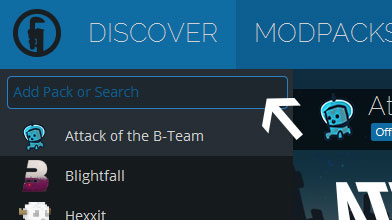
Type in the modpack name (Wolf Pack Cobblemon) or paste the following url into the search box.

Step 3

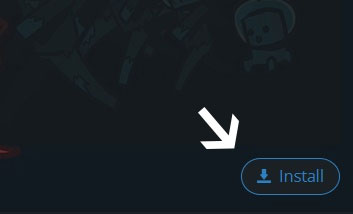
Finally, click Install at the bottom right of the launcher after you select Wolf Pack Cobblemon from the list on the left. The launcher will handle everything else!

Wolf Pack Cobblemon

by Cpt_Kildor
Version 1.4 • Minecraft 1.21.1

Wolf Pack Cobblemon updated to version 1.1

🐺 Wolf Pack Cobblemon – Version 1.1 💙 Resource Pack & Modpack Cleanup 🔧 Rebuilt and cleaned up the Wolf Pack Technic modpack. 🎨 Consolidated the Wolf Pack resource packs to reduce texture conflicts. 🔑 Updated custom crate key model mappings for all seven key types. 🛠️ Corrected the normal Minecraft tripwire hook model configuration. 📦 Removed duplicate Wolf Pack resource pack files. ⚙️ Improved modpack file organisation and consistency. 💙 Thank you for playing Wolf Pack Cobblemon! 🌐 www.wolfpackcobblemon.co.uk 💬 discord.wolfpackcobblemon.co.uk
Cpt_Kildor Cpt_Kildor in Wolf Pack Cobblemon ·

Comments

Latest Update
Wolf Pack Cobblemon was updated to version 1.4