mineteck 2 updated to version 2.1
adds quantum pack
adds minechem
fix crashes
new splashes
Installing a modpack using the Technic Launcher is easy. If you don't already have the launcher downloaded, visit our download page to get the latest version.
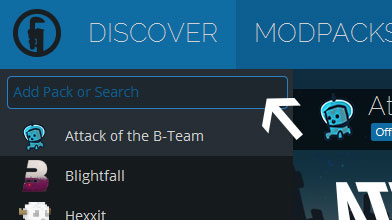
Type in the modpack name (mineteck 2) or paste the following url into the search box.

Finally, click Install at the bottom right of the launcher after you select mineteck 2 from the list on the left. The launcher will handle everything else!

Comments