=WoG= | Gears v1.7.10 updated to version v0.3.5
[+]
Better Foliage
Dynamic Surroundings
Serene Seasons
[*]
Aggiustamenti minori di scarsa rilevanza
[-]
Traincraft; ci dispiace lasciarla andare, ma era veramente ingestibile.
Installing a modpack using the Technic Launcher is easy. If you don't already have the launcher downloaded, visit our download page to get the latest version.
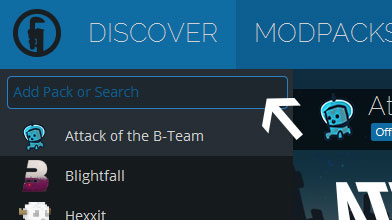
Type in the modpack name (=WoG= | Gears v1.7.10) or paste the following url into the search box.

Finally, click Install at the bottom right of the launcher after you select =WoG= | Gears v1.7.10 from the list on the left. The launcher will handle everything else!

Comments