


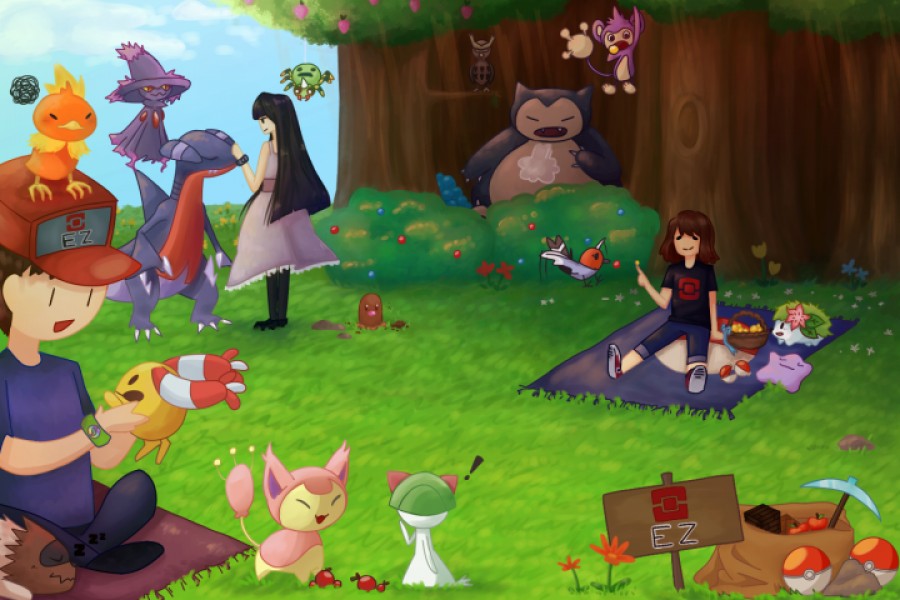
The easiest way to play Cobblemon — optimized, good-looking, and ready to go.
You boot up the pack, you're in. No digging through mod lists, no config headaches, no wondering why your game runs like a slideshow. Just Cobblemon — the way it should feel.
RC Cobblemon was built around our multiplayer server, but it's grown into something worth playing on its own. We took the latest Cobblemon 1.7.3 on Fabric 1.21.1 and wrapped it in everything we think makes the experience better — performance, visuals, quality of life, the works.
Whether you're joining our server or starting your own world, this is Cobblemon without the hassle.
What's Inside
- 🔴 Cobblemon 1.7.3 — catch, battle, and explore with fully 3D Pokémon in your world
- 🏃 Infinite Stamina — no more stopping every five seconds while exploring
- 🗺️ Xaero's Minimap & World Map — always know where you are and where you've been
- 🔍 EMI — full recipe and item browser with enchanting, ore, and profession support
- 📷 Zoomify — zoom in on anything, anytime
- 🎯 Dynamic Crosshair — crosshair changes based on what you're looking at
- 🎒 Shulker Box Tooltips — peek inside without opening them
- ✨ Enchantment Descriptions — actually know what your enchantments do
- 🛠️ Crafting Tweaks — rotate, balance, and clear crafting grids easily
- 🎮 Better Third Person — smooth third-person camera that doesn't fight you
Looks Good, Runs Better
Performance and visuals shouldn't be a tradeoff. We packed in the full optimization stack so you can run shaders without your PC catching fire.
- 🚀 Sodium + Sodium Extra — the best rendering engine for Fabric, period
- 🪶 Lithium — server and game logic optimizations
- 🌐 Krypton — network stack improvements
- 🧠 FerriteCore — memory usage reduction
- ⚡ ImmediatelyFast — UI and entity rendering speedups
- 👁️ Entity Culling + Leaf Culling — don't render what you can't see
- 🎨 Iris Shaders — full shader support, Complementary Reimagined included
- 🍂 Falling Leaves, Particle Rain, Wakes, Visuality — subtle particles that bring the world to life
- 💡 Dynamic Lighting — torches light up in your hand
- 🌿 Better Leaves — thicker, fuller foliage
- 🫧 Make Bubbles Pop — because it's the little things
- 🧍 Not Enough Animations — your character actually looks alive
- 🐾 Presence Footsteps — every block sounds different underfoot
Server Ready
Our community server is pre-configured in the server list — install the pack and you're one click away from playing with everyone else. No IP copying, no manual setup.
But if you just want a solid singleplayer Cobblemon experience, this works perfectly for that too.
FAQ
Q: Do I need to join the server to use this pack?
A: Nope. Works great in singleplayer or on any server. The RC server is just pre-added for convenience.
Q: Will this run on my PC?
A: We've included a full performance optimization stack (Sodium, Lithium, FerriteCore, etc.) so it should run well even on mid-range hardware. Shaders are optional if you need extra frames.
Q: Can I add my own mods?
A: Go for it — just keep in mind we can't guarantee compatibility with anything outside the pack.
Q: Where can I get help or report bugs?
A: Join our Discord and let us know.
Full Mod List
- Almanac
- Ambient Environment
- Architectury API
- Balm
- Better Ping Display
- Better Third Person
- Bookshelf
- CIT Resewn
- Cloth Config API
- Clumps
- Cobblemon
- Cobblemon Infinite Stamina
- Crafting Tweaks
- CraftPresence
- Dynamic Crosshair
- EMI
- EMI Enchanting
- EMI Professions
- Enchantment Descriptions
- Enhanced Attack Indicator
- Entity Model Features
- Entity Texture Features
- Entity Culling
- Fabric API
- Fabric Language Kotlin
- Falling Leaves
- FancyMenu
- FerriteCore
- ImmediatelyFast
- Iris Shaders
- JEI
- Konkrete
- Krypton
- LambDynamicLights
- Language Reload
- Lithium
- Make Bubbles Pop
- Melody
- Not Enough Animations
- OpenLoader
- owo-lib
- Particle Rain
- Particular
- Presence Footsteps
- Prickle
- Reese's Sodium Options
- RC-Gameshark
- RC-BattleSpeed
- Shulker Box Tooltip
- Sirdoof
- Sodium
- Sodium Extra
- Sodium Leaf Culling
- Sodium Options API
- Sodium Shadowy Path Blocks
- Stendhal
- Swing Through
- Tips
- ToolTipFix
- UniLib
- Visuality
- Wakes
- Xaero's Minimap
- Xaero's World Map
- YetAnotherConfigLib
- Zoomify
Resource Packs: Better Leaves
Shaders: Complementary Reimagined