


Warning: This modpack is hidden and will not show up in the modpack index.
Please post your issue in the discussion page!
Guides:
Running the game faster smoother - Increasing the allocated ram in the launcher options is always helpful, but i suggest you play this mod pack on very low settings and in fullscreen!
Minimap and AOA HUD interfering - First make sure you can open the minimap menu, this is done by pressing "M" but this is often conflicting with other controls, for me it was IC2 so change this control:
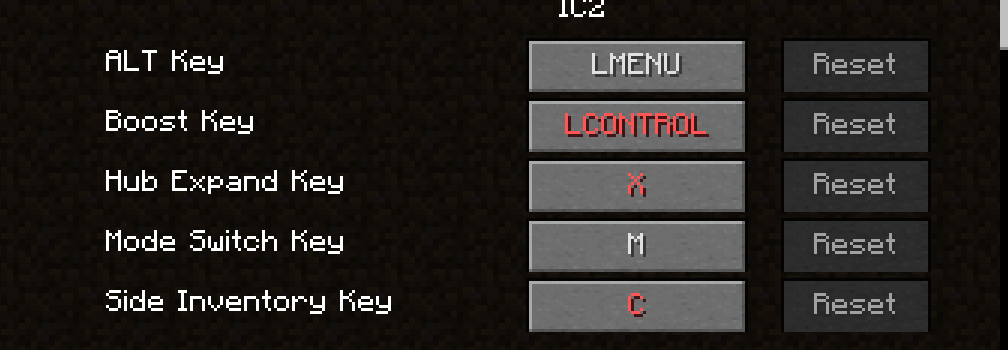
To any other key that you would like!
Then go back to your game and press "M" and select "Minimap Options"

And then select the map position you want! (I chose upper left)

Guides:
Running the game faster smoother - Increasing the allocated ram in the launcher options is always helpful, but i suggest you play this mod pack on very low settings and in fullscreen!
Minimap and AOA HUD interfering - First make sure you can open the minimap menu, this is done by pressing "M" but this is often conflicting with other controls, for me it was IC2 so change this control:
To any other key that you would like!
Then go back to your game and press "M" and select "Minimap Options"
And then select the map position you want! (I chose upper left)